Advent Calendar Day 21: SureBackup Part 1 - Introduction
Advent Calendar Day 21: SureBackup Part 1 - Automated Backup Verification
Welcome to Day 21 of our Veeam Blog Advent Calendar! Today we’re starting a two-part series on one of Veeam’s most impressive features: SureBackup.
We have mentioned a few times already about features that fly under the radar but this is genuinely the biggest one that goes unnoticed, every time this gets brought up in conversation it’s like really? Veeam can do that? and the answer is YES it’s been in the product for many versions already!
Backup verification has to be one of the most important components of your data protection strategy, your backup is only as good as your ability to restore as they say so what better way to verify that than automated regular testing?
But why stop at simply verifying your backups? why not use this to create a sandpit environment to test your upgrades? everyone loves a good ol patch Tuesday! no, just me?…
Going to do this across a two-part series because there is just so much to cover and I don’t want to miss anything, so grab your eggnog, your reindeer beanie, and your Christmas spirit because this is going to be a fun one.
How It Works
SureBackup uses several components:
Virtual Lab: An isolated network environment where VMs are tested. It’s network isolated from production, so powered-on backup copies can’t interfere with production systems.
Application Groups: Collections of VMs that need to be tested together (e.g., web server, application server, database server).
Verification Tests: Automated tests that confirm VMs are functional:
- Ping test (is it responsive?)
- Heartbeat test (is the VM operational?)
- Script test (custom verification logic)
SureBackup Job: The scheduled job that orchestrates the entire process.
The Setup
So as you can probably already see there are a few moving parts to how this all fits together so we going to start from the top and get the infrastructure setup in Part1 and in Part2 we will dive into actually running the job and checking the verification tests.
Ill be setting this up using the “simple method” which means I’ll just use a single host to simplify the networking but there are multiple options which allows you to create distributed switchs and have this run across multiple hosts if you require that level of scale, so just to keep things simple ill be doing a single host configuration.
Create the Virtual Lab
- Open the Veeam Backup and Replication Console
- Navigate to the Backup Infrastructure Tab
- Select Add Virtual Lab
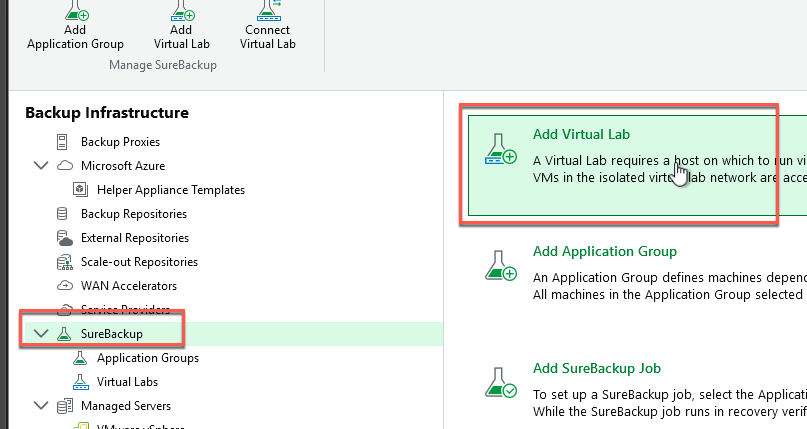
- Provide the Lab with a name
- Select the host you wish to use, ill select host 4
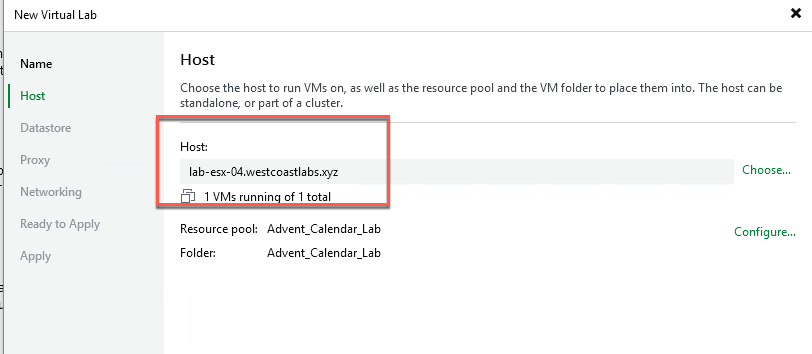
- This will automatically create a matching resource group and folder
- Enable redirect cache if you wish (I will leave off as default)
- Configure the proxy settings
- This proxy is essentially a small linux appliance that gets created that acts as a gateway allowing the VBR server to “talk” to the VMs inside the isolated network
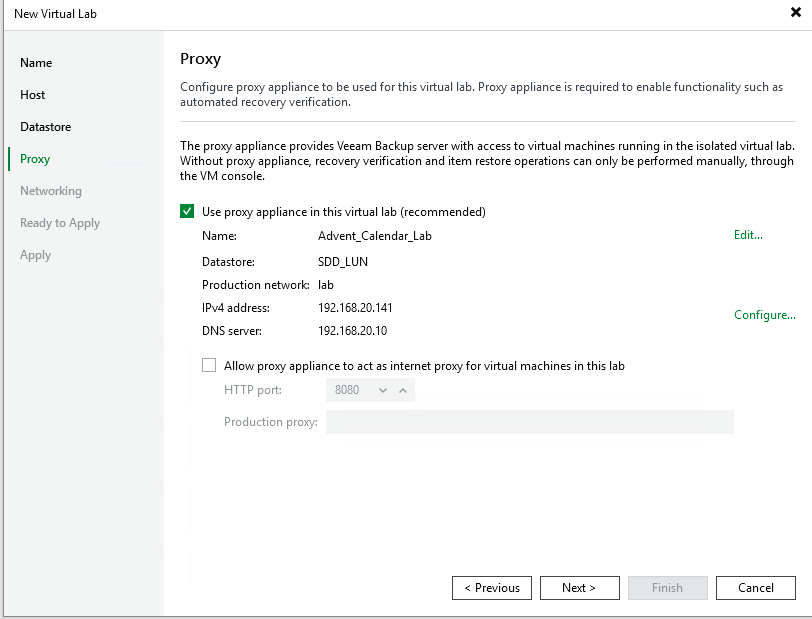
- This proxy is essentially a small linux appliance that gets created that acts as a gateway allowing the VBR server to “talk” to the VMs inside the isolated network
- Select your deployment configuration
- As mentioned ill be selecting Advanced Single-host as id like to configure some additional settings
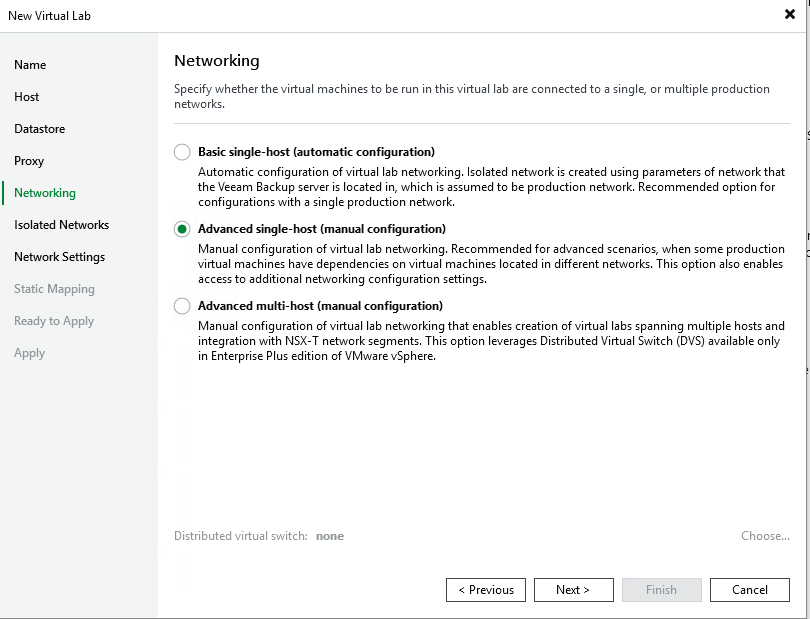
- As mentioned ill be selecting Advanced Single-host as id like to configure some additional settings
- Configure the isolated network (the portgroup will get automatically created)
- set the appliance IP to the same as the gateway IP of your production network
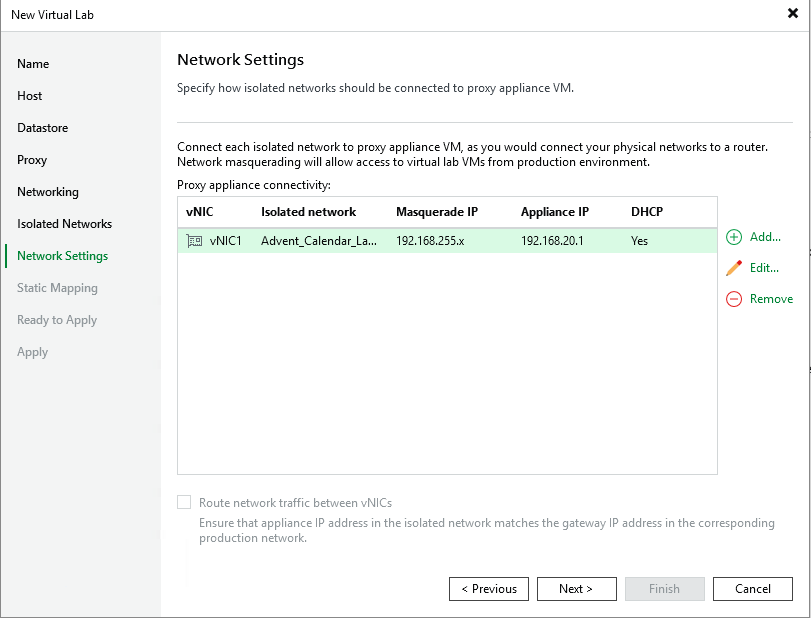
- Add a static map
- By default only the VBR server will be able to reach into the isolated network, this is so that it can perform the required testing that it needs however you can add a static route here if you wish. the benefit here is that lets say you want to boot this up to test a SQL upgrade, well this will allow you to add additional routes in so that the DBAs can get to the isolated network and test their upgrades
- Once we have done all that apply the changes
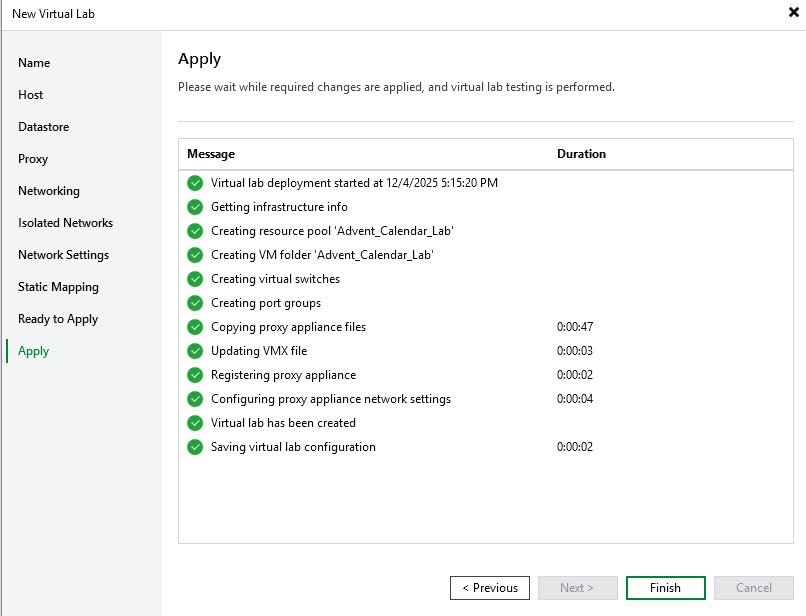
Create the application Group
Some services we want to test may require auxilary services like Active Directory or DNS so to account for that we can create an application group, as the same suggests this allows us to group all the workloads together that make up that application so lets for instance you require AD, SQL and your web front end, we can combine those together in an application group, booth them in the right order and verify that the application is up and usable.
- Open the Veeam Backup and Replication Console
- Navigate to the Backup Infrastructure Tab
- Add Application Group
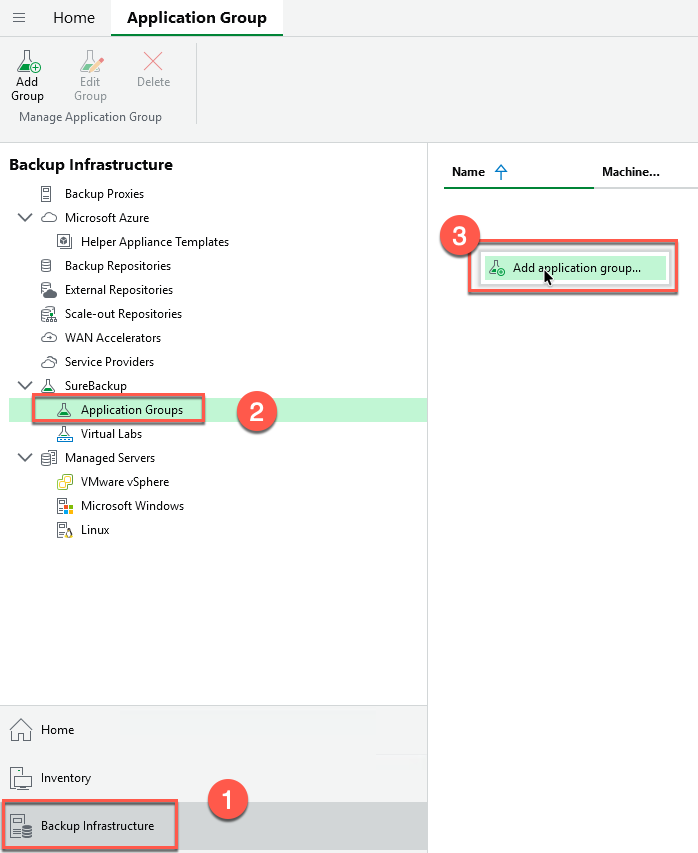
- Give your application group a name
- Add the required workloads and define the order by using the arrows
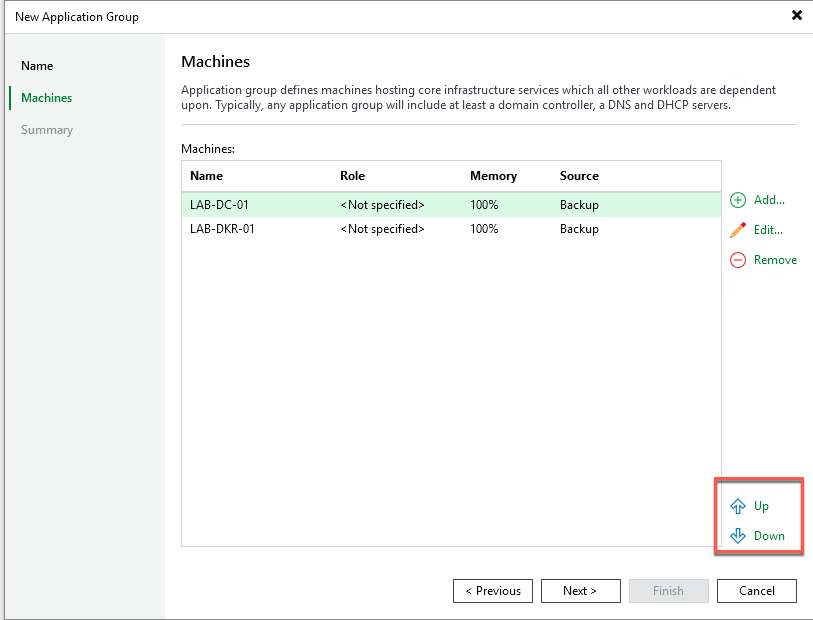
- Define the roles by selecting “Edit” as well as define any start up options and test scripts you wish to run
- These test scripts can be used to test custom applications you may have developed in house and require additional testing
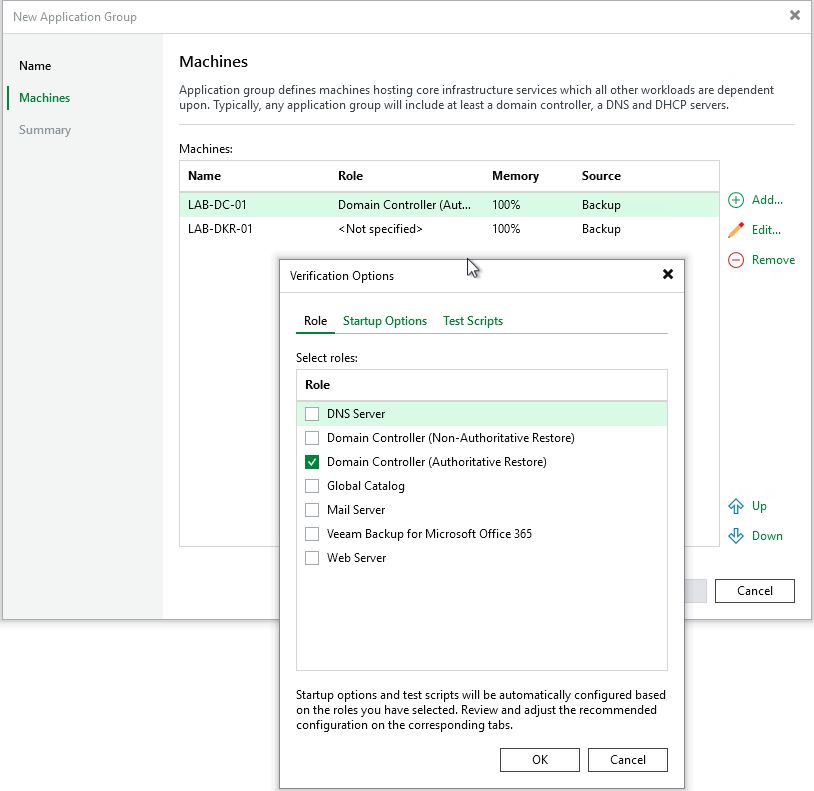
- These test scripts can be used to test custom applications you may have developed in house and require additional testing
Wrapping Up
And there we have it! We’ve successfully set up the foundational infrastructure for SureBackup—the virtual lab and application groups. These are the building blocks that make automated backup verification possible.
Now, you might be thinking, “That’s it? Where’s the actual testing?” Well, tomorrow in Part 2, we’ll dive into creating the SureBackup job itself and exploring all the different verification options and test configurations available to us.
But here’s why this matters so much: SureBackup transforms backup verification from a manual, time-consuming task that often gets skipped into an automated, reliable process that runs like clockwork. It’s the difference between hoping your backups work and knowing they do.
How often do you actually test your backups? Manual testing is tedious and resource-intensive, so it gets pushed to the bottom of the priority list. But with SureBackup, that testing happens automatically while you sleep. You get confidence that your backups are restorable, early detection of any issues before disaster strikes, and continuous validation of your disaster recovery readiness.
And if you’re dealing with compliance requirements (and who isn’t these days?), SureBackup provides automated verification and documentation that auditors love to see.
If you’re not using SureBackup yet, this might be the feature that changes your entire approach to backup verification.
See you tomorrow for Part 2 where we’ll create the job and run those verification tests! 🎄
Trust, but verify—automatically! 🎁