Advent Calendar Day 16: VMware Tags - Dynamic Backup Automation
Advent Calendar Day 16: Let Tags Do the Work
Welcome to Day 16 of our Veeam Blog Advent Calendar! Today we’re going to take a look at how we can automate backups and create a more dynamic policy-based approach to our backups.
In most cases, the infrastructure admins and the backup admins are two different teams, and sometimes a new workload gets created and the message never reaches the backup team to add the workload to the required backups. This could mean a Tier 1 workload gets missed from regular backups or gets added to the incorrect policy and doesn’t meet your compliance needs.
The easiest way to solve this is to use tags and let Veeam automatically add new workloads to the job based on the tag requirements. It’s dynamic, automated, and scales beautifully.
Grab your coffee or more than likely eggnog at this point, let’s get into it!
What Are VMware Tags?
VMware tags are metadata labels you can attach to VMs, hosts, datastores, or other vSphere objects. They’re simple key-value pairs that help you organize and categorize your environment.
For example:
Environment: ProductionBackup Policy: DailyDepartment: FinanceCompliance: PCI
The brilliant part? Veeam can read these tags and automatically include VMs in backup jobs based on their tag assignments.
Setting This Up
The setup is straightforward. Let’s walk through creating a tag-based backup policy:
Step 1: Create VMware Tags
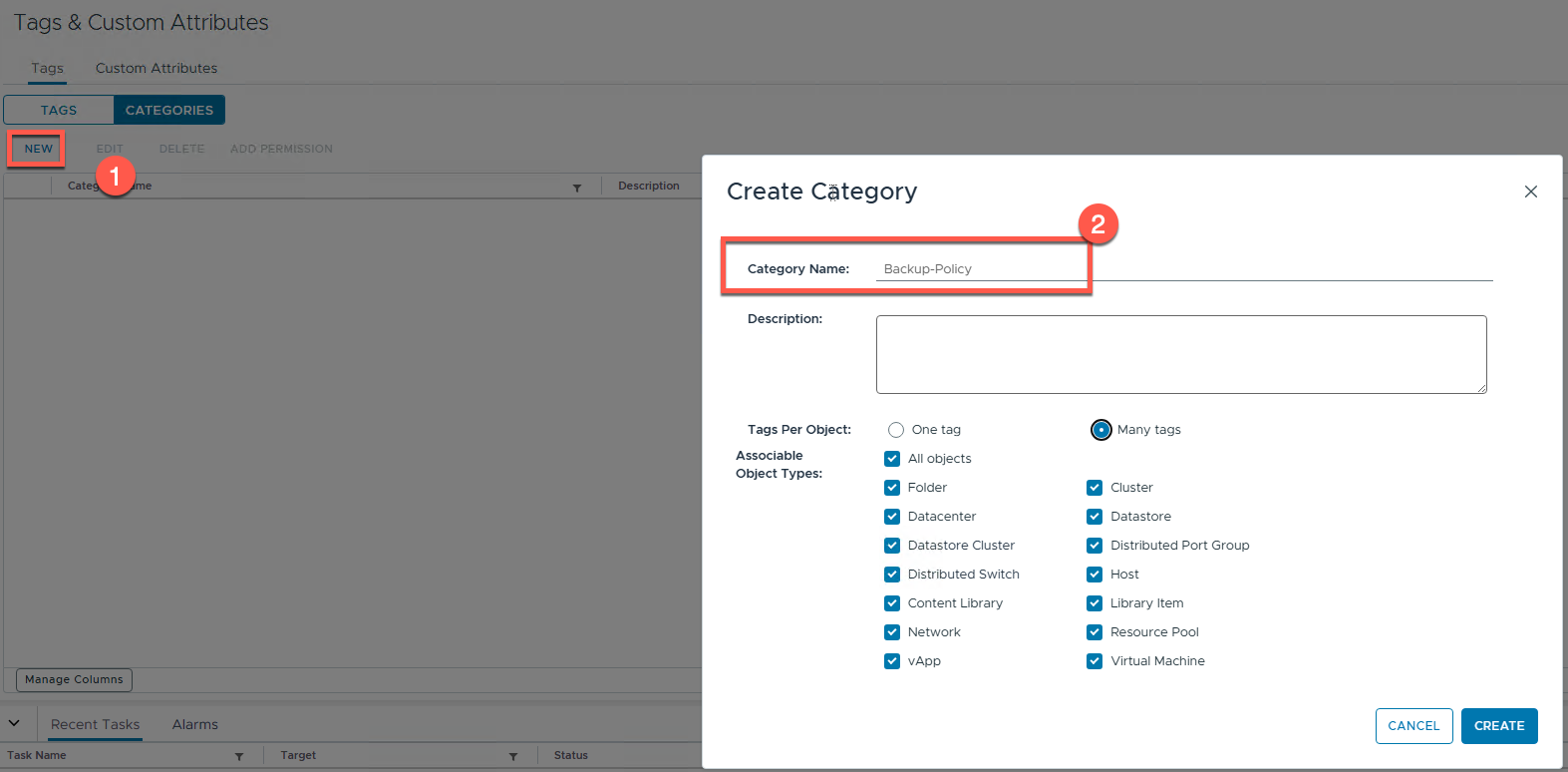
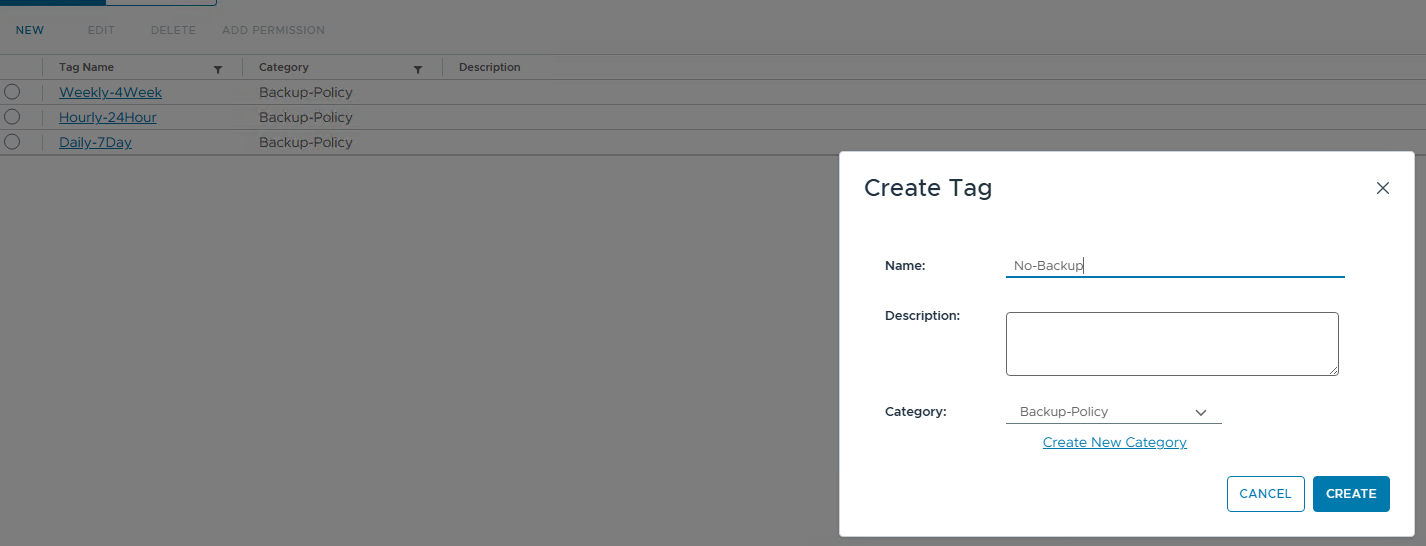
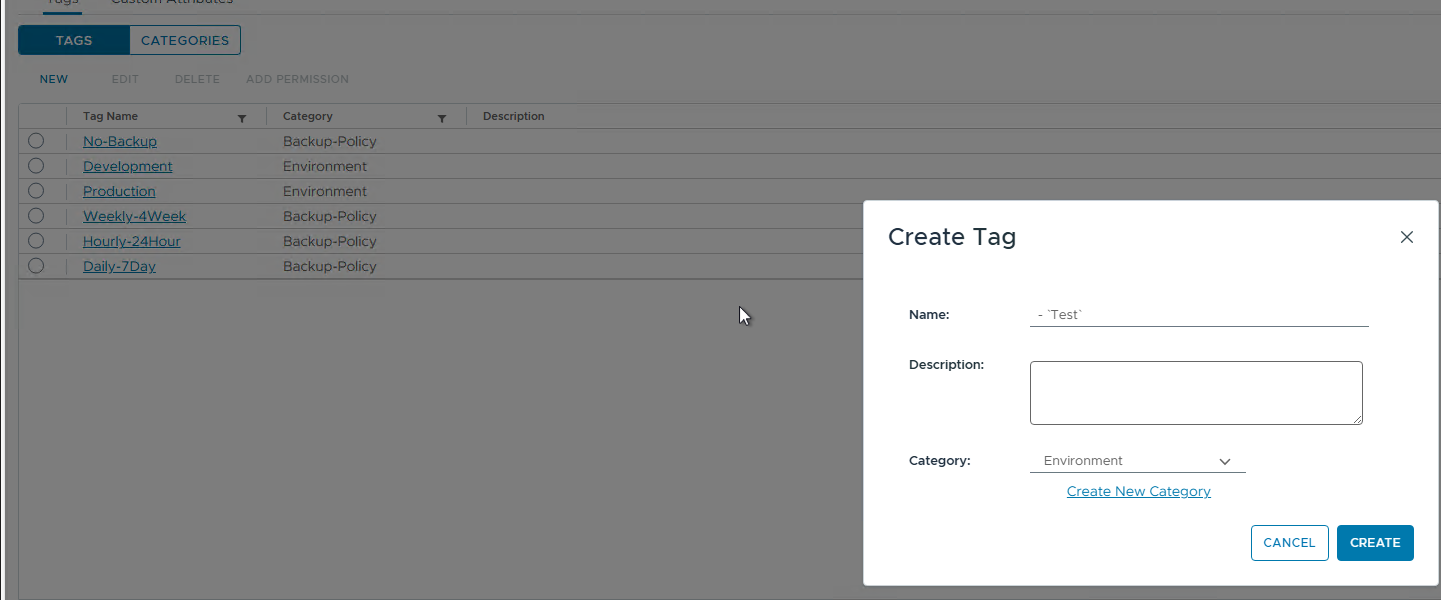
In vSphere, create your tag categories and tags:
Tag Category: Backup-Policy
Daily-7DayHourly-24HourWeekly-4WeekNo-Backup
Tag Category: Environment
ProductionDevelopmentTest
Step 2: Tag Your VMs
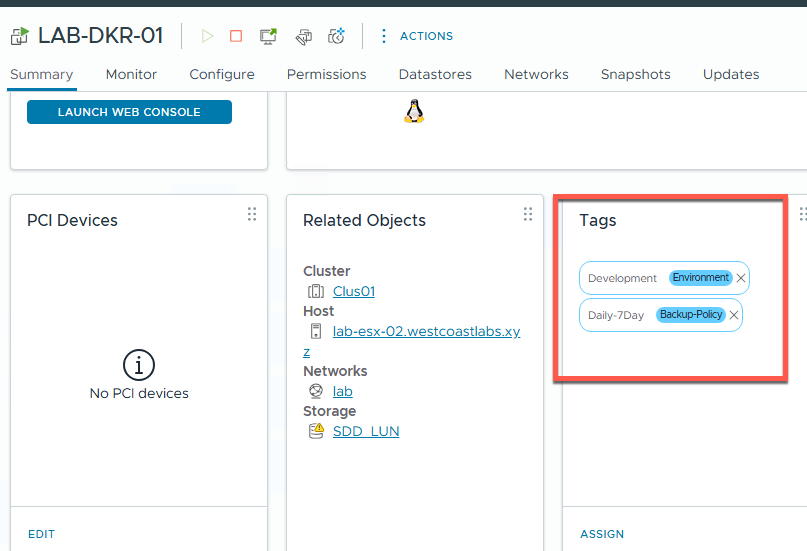
Now that we have all of our tags created, let’s tag the VMs.
- Select the VM in question
- Right click -> Tags & Custom Attributes
- Assign Tag
- Right click -> Tags & Custom Attributes
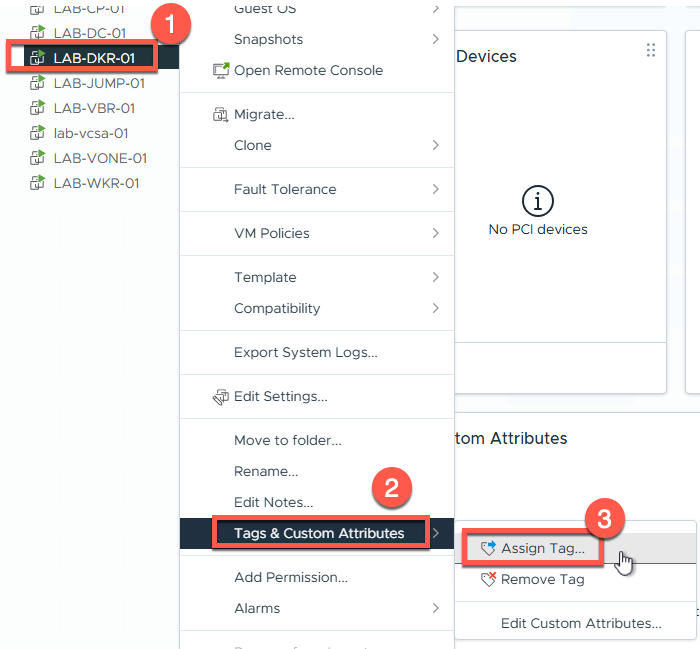
This being a Docker host, I’ll tag it for a daily backup and Development.
Step 3: Create Tag-Based Backup Jobs in Veeam
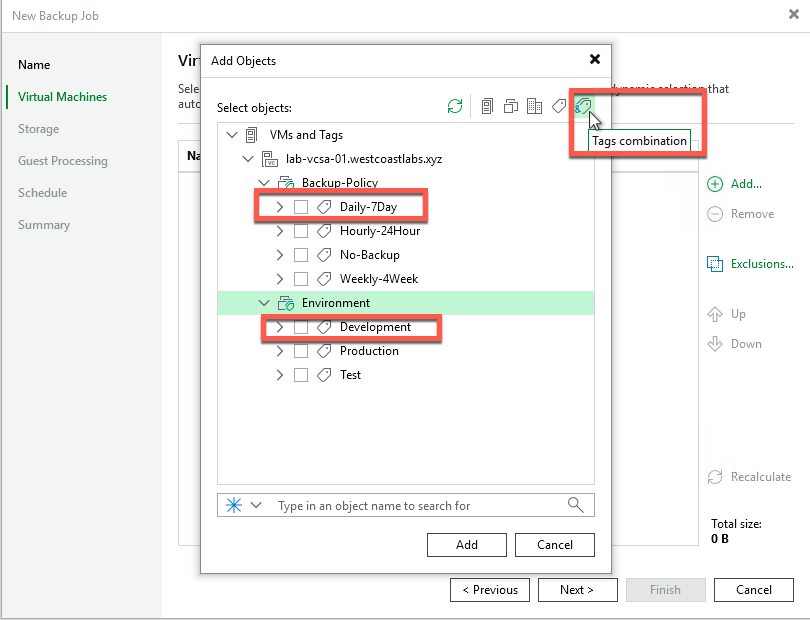
In Veeam, create a backup job and instead of selecting individual VMs, use the tag filter:
- Create a new Backup Job
- When adding objects, select “Tags combinations”
- Select the tag combination you need (in my case Daily tag & Development tag)
- Configure the backup job accordingly
- When adding objects, select “Tags combinations”
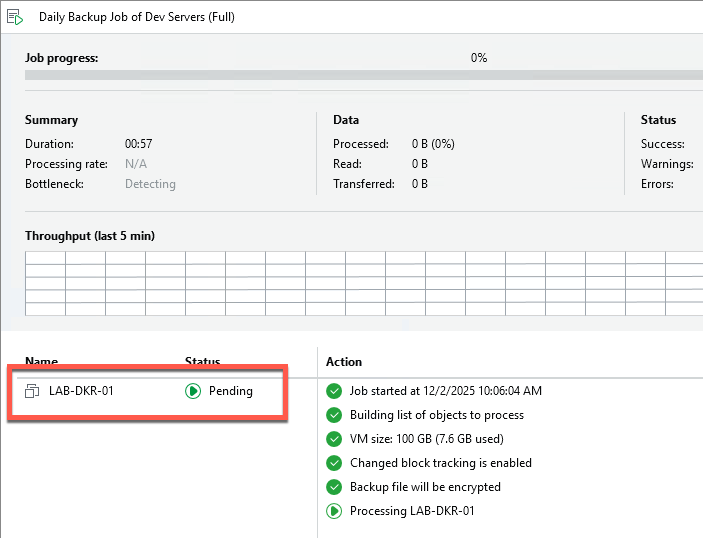
When we run the Backup job now, we can see that it’s only picked up the Docker server that I tagged.
Real-World Example
Let’s say you have different backup requirements for different environments:
Production VMs:
- Tag:
Backup-Policy: Daily-7Day - Job settings: Daily backups, 7-day retention, application-aware processing enabled
Development VMs:
- Tag:
Backup-Policy: Weekly-4Week - Job settings: Weekly backups, 4-week retention, crash-consistent
Test VMs:
- Tag:
Backup-Policy: No-Backup - No job needed - they’re explicitly excluded
When a developer spins up a new production VM, they tag it Backup-Policy: Daily-7Day and Environment: Production. That night, Veeam’s backup job automatically picks it up. No ticket to the backup team needed. No manual intervention required.
Integration with Infrastructure as Code
This approach pairs beautifully with automation and IaC tools:
Your Terraform/Ansible deployment scripts can automatically apply the appropriate tags when provisioning VMs. The backup policy is defined in code alongside the VM deployment, ensuring backups are never forgotten.
# Terraform example
resource "vsphere_tag" "backup_daily" {
  name        = "Daily-7Day"
  category_id = vsphere_tag_category.backup_policy.id
}

resource "vsphere_virtual_machine" "vm" {
  # ... VM configuration ...

  tags = [
    vsphere_tag.backup_daily.id,
    vsphere_tag.production.id
  ]
}
Wrapping Up
If you’re managing VMware environments with Veeam and not using tag-based backup jobs, you’re missing out on a huge automation opportunity. The initial setup takes minimal time, and the ongoing operational savings are substantial.
Tag-based backup automation represents a shift from reactive to proactive backup management. Instead of constantly chasing new VMs and manual updates, you define the policy once and let the infrastructure handle the rest. It also breaks down silos—VM owners can apply tags during deployment, ensuring backup compliance from day one without needing backup team involvement for every single VM.
The benefits extend beyond just automation: backup policies become standardized and enforced through tagging conventions, tags make it immediately clear what backup policy applies to each VM, it scales just as well for 50 VMs as for 5,000 VMs, tag changes are logged in vSphere providing an audit trail, and you can empower VM owners with self-service tag application during deployment.
Define your policies, tag your VMs, and let Veeam handle the rest. Your future self will thank you.
See you tomorrow for Day 17! 🎄
Stay curious, stay automated, and as always, happy backing up! 🎁